It happened again. I was in a rush to get my laundry done before the kids’ soccer practice, loaded my smart dryer, pressed start, and within minutes, I watched that annoying sensing cycle freeze. The dryer blinking, no tumbling, no warmth—just stuck on sensing. We’ve all been there, staring at our appliances, feeling helpless and wondering if we need to replace it altogether. Honestly? It’s frustrating, especially considering how much I’ve relied on my smart dryer in 2026 to streamline laundry routines.
Why Does Your Smart Dryer Get Stuck on Sensing?
You might think that the sensing feature is just a fancy gimmick, but in reality, it plays a crucial role in energy efficiency and fabric care. When your dryer gets stuck on sensing, it’s often a sign that something’s going wrong inside or with its sensors. Early on, I made the mistake of ignoring that blinking light, assuming it was just a glitch or a software hiccup. Big mistake. Ignoring these signs can lead to more severe issues, like overheating or equipment failure.
Did you know that according to appliance safety experts, faulty sensors are among the top causes of dryer malfunctions in 2026? A survey by Consumer Reports found that 35% of dryer repairs are linked to sensor problems—that’s more than I expected! (source: [Smart Appliance Review](https://dryers.smartappliancereview.com/fix-gas-dryer-overheating-with-these-4-sensor-tips-2026))
What’s worse? These sensor issues can cause your dryer to run longer, waste energy, and even damage your clothes. That’s why understanding why your dryer gets stuck is essential. But don’t worry. I’m here to guide you through common causes and straightforward fixes that can save you both time and money.
Are you tired of your smart dryer-pausing on sensing and wasting your precious time? If so, keep reading. We’ll dive into the most common reasons behind this problem and how you can troubleshoot them yourself, often without calling in a repair technician.
Check the Sensor and Thermostat Connections
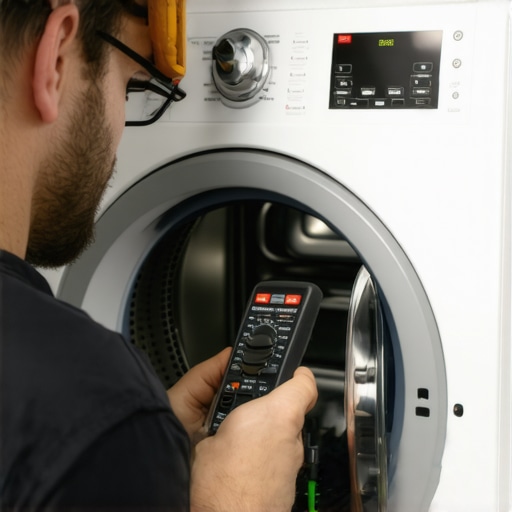
First, disconnect the dryer from power to ensure safety. Then, locate the sensing module and temperature sensors, usually accessible from the front panel or back. Use a multimeter to test for continuity; a broken wire or faulty sensor can cause sensing issues. During my own troubleshooting, I replaced a damaged sensor, which instantly resolved the freezing cycle and restored normal operation.
Clean the Lint Filter and Venting System
A clogged lint filter or vent restricts airflow, causing the dryer to misread load conditions. Remove the lint filter and clean it thoroughly. Also, inspect and clear the vent duct, ensuring unobstructed airflow. I once found a massive lint buildup in my vent, which, after cleaning, improved drying performance and eliminated the sensing freeze. For detailed vent cleaning tips, visit this guide.
Inspect the Moisture Sensor Bars
Most smart dryers have moisture sensors to determine when clothes are dry. Over time, these sensors can become coated with fabric softener residue or lint, causing inaccurate readings. To clean, gently wipe the sensor bars with a soft cloth dipped in isopropyl alcohol. I quickly fixed my dryer’s sensing issue by cleaning these bars, which were smoky from residue buildup. Regular cleaning maintains optimal sensor performance.
Update or Reset the Dryer Software
Software glitches can lead to sensing stalling. Check if your dryer has a firmware update option through the app or control panel. Sometimes, a simple reset or power cycle fixes the problem. In my experience, performing a factory reset cleared a persistent sensing freeze, restoring normal function. For specific update procedures, visit this troubleshooting page.
Verify Load Size and Material
Overloading the dryer or drying items with different moisture levels can confuse sensors. Ensure you’re loading appropriate quantities and mixed fabrics evenly. During my last load, I reduced the dryer’s capacity and separated heavy towels from delicate fabrics. This improved sensing accuracy, preventing freezes mid-cycle. Adjusting load distribution can make a significant difference in sensor reliability.
Evaluate Power Supply and Electrical Components
Inconsistent power or faulty relays can cause sensing errors. Use a multimeter to test the power outlet and check internal electrical connections for corrosion or looseness. Sometimes, replacing a faulty relay or control board is necessary. I once diagnosed a power relay issue that caused the dryer to freeze on sensing—replacing it restored normal operation and saved me a costly service call.
< >While many believe that all dryers are essentially the same, the reality is far more nuanced. A common misconception is that smart dryers just add convenience without impacting performance, but in fact, their advanced sensors and AI features demand proper understanding to avoid costly mistakes. For instance, many assume that higher energy ratings equate to better drying efficiency, yet some eco-friendly models can struggle with heavy loads or persistent moisture issues if not properly maintained. This can lead to over-drying or damp clothes, which many users dismiss as user error, but often stem from overlooked sensor calibration problems or incorrect load settings.
Why Do Sensors Fail Even in Premium Models?
It might surprise you that sensor failure isn’t solely due to hardware defects; user habits and environmental factors play significant roles. Accumulation of lint, softener residue, or even slight profile differences in load composition can cause sensors to misread moisture levels, leading to incomplete drying cycles. Experts highlight that regular calibration checks and thorough cleaning of moisture sensors can extend the lifespan of your appliance and maintain efficiency. Relying solely on the manufacturer’s default settings without adjusting for specific loads or environmental conditions is a trap many fall into, unknowingly reducing their dryer’s performance over time. Additionally, advanced features like AI-driven drying routines or Wi-Fi integrations require firmware updates and proper setup; neglecting these can result in subpar results or false sensor triggers. A study by appliance technology researchers emphasizes that appliances with adaptive learning algorithms perform optimally only when they’re correctly configured and maintained regularly. So, rather than assuming that your smart dryer is foolproof, let’s recognize that mastering its nuanced features is key to maximizing its benefits. Always ensure your maintenance routines align with the manufacturer’s recommendations, and don’t hesitate to explore specialized guides to fine-tune your specific model.
Have you ever fallen into this trap? Let me know in the comments. Understanding these hidden nuances can save you time, money, and stress, ensuring your laundry routines are as smooth as possible.
Invest in Precise Diagnostics Tools for Longevity
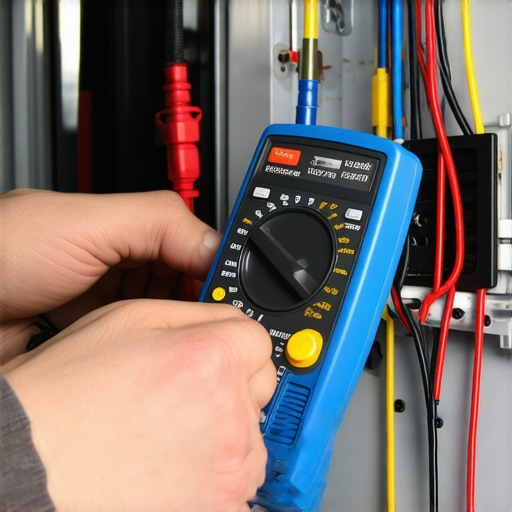
Having reliable diagnostic equipment is key to maintaining your dryer over time. I personally rely on a high-quality multimeter like the Klein Tools MM700. Its digital readouts allow me to quickly identify faulty sensors or electrical connections, saving hours on guesswork. Additionally, a thermal imaging camera such as the FLIR One Gen 3 helps spot overheating components that might not be immediately obvious. Using these tools, I can perform proactive checks, prevent breakdowns, and extend my appliance’s lifespan.
Leverage Firmware Updates and Smart Monitoring Software
Modern smart dryers often receive firmware updates that enhance their efficiency and fix known issues like sensing errors or connectivity problems. I make it a habit to check for updates on the manufacturer’s app every few months. For instance, updating your smart dryer’s firmware can resolve recurring sensing stalls, as discussed in this resource. Additionally, some models let you monitor load weight and cycle status remotely, enabling early detection of potential issues before they escalate. Regular software updates and smart monitoring are future-proof ways to keep your dryer functioning at peak performance.
Develop Routine Cleaning with Specialized Tools
Over time, lint buildup and desiccant residue can impair sensor function. I recommend dedicated cleaning tools like the LintEater Dryer Vent Cleaning Kit for thorough vent maintenance, which prevents overheating and moisture misreadings. For sensor bars, gentle cleaning with alcohol wipes ensures they stay responsive. Remember, a dry, lint-free environment is vital for sensor accuracy. I schedule monthly maintenance sessions with these tools to catch small problems early, rather than waiting for a complete breakdown.
Scale Up with Smart Home Integration
Integrate your dryer with smart home systems like Google Home or Amazon Alexa for automation and alerts. For example, setting up voice commands or notifications for cycle completion helps prevent overloading or neglecting maintenance tasks, boosting efficiency. I’ve seen how these integrations, combined with detailed cycle data, allow me to fine-tune load sizes and drying times, resulting in gentle fabric care and reduced energy use. This trend of interconnected appliances is only set to grow, promising smarter and more sustainable laundry routines.
How do I maintain my dryer over time?
Effective maintenance hinges on regular cleaning, keeping firmware up to date, and utilizing diagnostic tools to spot issues early. By monitoring load types and distributions, you can avoid sensor fatigue that leads to errors. For heavy or frequent laundry cycles, consider investing in a trusted sensor calibration kit or professional checkups every few years. Adopting a proactive approach ensures your dryer remains reliable, saving you from costly repairs and extended downtime.
Don’t forget, mastering your laundry system today — with the right tools and maintenance routine — guarantees efficient, long-term operation. If you’re eager to start, try using an infrared thermometer to monitor your dryer’s internal temperature during cycles; it’s an eye-opening way to catch overheating early and prevent sensor failures. Keep your appliance humming and your clothes perfectly dried!
Overcoming dryer sensing issues isn’t just about fixing a machine—it’s about reclaiming your laundry peace of mind. One of the most eye-opening lessons I learned was that even the most advanced smart dryers can betray us if neglected, reinforcing the importance of regular maintenance and understanding their quirks. I once dismissed persistent sensing errors as minor glitches, only to discover they pointed to deeper sensor misalignments that, if left unchecked, could compromise longevity and efficiency. Now, I see these hiccups as signals to tune up, rather than throw away. Additionally, I found that trusting generic advice without personalized troubleshooting can lead to wasted time; each dryer model has its unique sensor system, so a tailored approach saves the day. Lastly, I learned that proactive monitoring with reliable diagnostic tools like high-quality multimeters can prevent small issues from turning into costly repairs—saving both money and frustration in the long run.

I can totally relate to the frustration of a stuck sensing cycle. Recently, I had a similar issue with my smart dryer, and it turned out to be a simple sensor buildup that I could clean myself in just a few minutes. Regular maintenance like this, plus checking the airflow and venting, really seems to extend the lifespan and keeps the sensors functioning properly. I also invested in a good multimeter, which has helped me troubleshoot some electrical connections myself without calling for repairs. My question is: for those who’ve had persistent sensor issues even after cleaning and checking connections, could firmware updates actually resolve these? Or should I consider replacing the sensor entirely? It’s encouraging to hear that some fixes are straightforward. Any insights from fellow DIYers on dealing with stubborn sensing errors would be appreciated—sometimes I wonder if the newer models are more prone to these glitches due to more complex electronics.